What Is an Applicant Tracking System (ATS)? The Complete Guide for Modern Recruitment
Discover what an Applicant Tracking System (ATS) is, how it works, its key features, benefits, AI capabilities, implementation best practices, and how modern organizations use ATS software to streamline recruitment and hire top talent more efficiently.
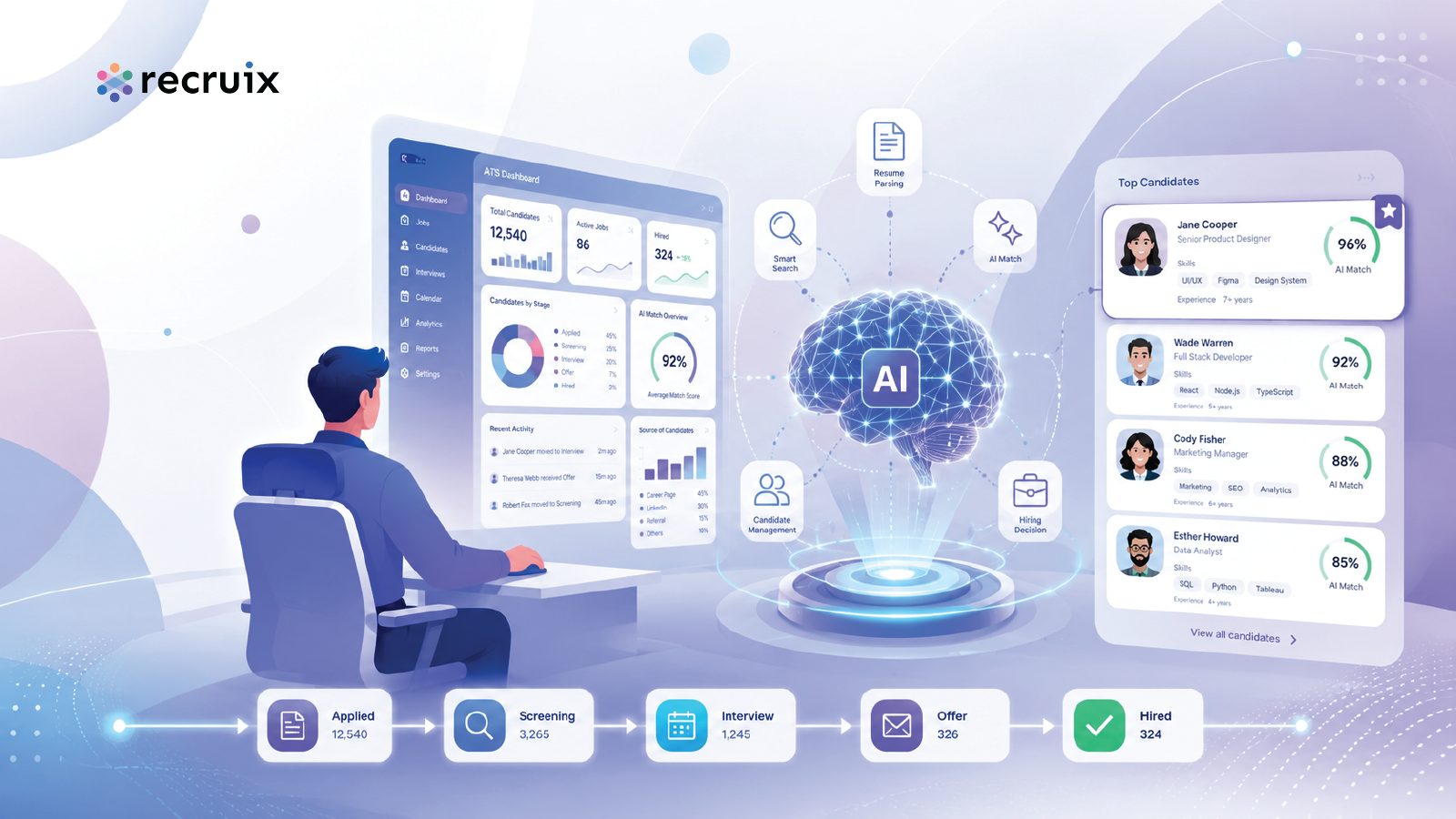
Recruitment has become increasingly complex. Organizations must manage job approvals, vacancies, candidate applications, interviews, communication, offers, onboarding documents, compliance requirements, and hiring analytics—often across multiple departments, locations, and hiring teams.
An Applicant Tracking System, commonly called an ATS, helps organizations manage these activities through a structured digital recruitment platform. Instead of relying on spreadsheets, email chains, shared folders, and disconnected tools, an ATS centralizes recruitment information and supports the hiring process from job creation to candidate selection.
This guide explains what an Applicant Tracking System is, how ATS software works, its main features and benefits, how artificial intelligence is changing recruitment technology, and what organizations should consider when selecting an ATS.
Quick Summary
An Applicant Tracking System is recruitment software that helps organizations create jobs, collect applications, organize candidate information, manage hiring workflows, coordinate interviews, communicate with applicants, generate offers, and analyze recruitment performance. Modern ATS platforms may also use artificial intelligence to support resume parsing, candidate matching, ranking, recommendations, automation, and recruitment analytics.
Key Takeaways
An Applicant Tracking System centralizes recruitment activities and candidate information.
ATS software can support job approvals, job publishing, resume parsing, candidate screening, interviews, offers, onboarding, and analytics.
Organizations use ATS platforms to improve recruitment consistency, visibility, collaboration, and efficiency.
Modern systems increasingly include AI-assisted candidate matching, recommendations, summaries, and automation.
The right ATS should align with an organization’s hiring volume, workflow complexity, security requirements, integrations, and reporting needs.
An ATS should support recruiters and hiring managers without creating unnecessary complexity for candidates.
Table of Contents
What Is an Applicant Tracking System?
An Applicant Tracking System is software designed to help organizations manage recruitment activities and candidate information throughout the hiring process.
The term “applicant tracking” originally referred mainly to collecting applications and recording candidate progress. Modern ATS platforms can support a much broader range of recruitment activities, including:
Job requisition creation and approval
Job publishing and distribution
Career portal management
Resume collection and parsing
Candidate database management
Application screening
Recruitment workflow management
Interview coordination
Candidate communication
Offer generation and approval
Preboarding and onboarding documentation
Recruitment reporting and analytics
Integration with HR, email, calendar, job board, and identity systems
An ATS acts as a central operating environment for recruitment teams. It helps recruiters, hiring managers, HR leaders, interviewers, and administrators work with the same information and follow an agreed hiring process.
What does ATS stand for?
ATS stands for Applicant Tracking System. In recruitment, it refers to software used to track applicants, candidates, jobs, interviews, decisions, offers, and related hiring activities.
Is an ATS only for tracking applicants?
No. Although applicant tracking remains a core function, modern platforms may support the complete recruitment lifecycle. Depending on the system, this can include workforce requests, job approvals, candidate sourcing, screening, communication, interview scheduling, offer management, onboarding documentation, integrations, and analytics.
Why Do Companies Use ATS Software?
Recruitment can become difficult to manage when applications, feedback, approvals, documents, and communication are distributed across different tools. A recruiter may receive resumes through email, job boards, referrals, messaging applications, agencies, and career sites. Hiring managers may provide feedback through calls or spreadsheets. Interview schedules may be managed separately in calendars.
This fragmented process creates several risks:
Candidate information may be duplicated or lost.
Recruiters may not know the latest status of an applicant.
Hiring managers may not have consistent access to candidate information.
Approvals may be delayed or difficult to audit.
Candidates may receive late or inconsistent communication.
Recruitment reports may require extensive manual preparation.
Important hiring steps may depend on individual memory rather than a defined workflow.
ATS software is used to replace these disconnected activities with a more structured and visible process.
Common reasons organizations adopt an ATS
To manage a growing volume of applications
To standardize recruitment workflows
To improve collaboration between recruiters and hiring managers
To reduce repetitive administrative work
To improve candidate communication
To create a searchable candidate database
To support compliance and activity tracking
To measure recruitment performance
To integrate recruitment with HR and enterprise systems
To support recruitment across multiple companies, departments, locations, or business units
How Does an Applicant Tracking System Work?
An ATS generally works by creating a structured flow between job requirements, candidates, hiring stages, users, decisions, and recruitment data.
Although every platform is different, a typical ATS process may include the following stages.
1. A job requirement is created
A recruiter, hiring manager, or authorized user creates a job requisition. The request may include the job title, department, location, reporting structure, employment type, number of vacancies, required skills, salary information, and hiring justification.
2. The job is approved
Organizations with formal recruitment governance may require approval from department heads, HR leaders, finance teams, or senior management before the vacancy is published.
3. The vacancy is published
The approved job can be published on an organization’s career portal and distributed to selected job boards or recruitment channels.
4. Candidates apply or are added by recruiters
Candidates may apply through a career site, be added manually, be imported from another source, be referred by an employee, or be submitted by a recruitment agency.
5. Candidate information is processed
Resume parsing technology can extract information such as contact details, employment history, education, skills, certifications, languages, and job titles from a candidate’s resume.
6. Candidates are screened
Recruiters review applicants against job requirements. Some systems may support screening questions, knockout criteria, candidate scoring, AI-assisted matching, or automated recommendations.
7. Candidates move through hiring stages
Applicants may progress through stages such as:
Application received
Recruiter review
Shortlisted
Hiring manager review
Assessment
Interview
Final interview
Reference or background checks
Offer approval
Offer accepted
Hired
8. Interviews and feedback are coordinated
Interviewers can receive candidate information, submit structured feedback, complete scorecards, and record recommendations. Calendar and email integrations may support interview scheduling and reminders.
9. The offer is prepared and approved
The system may generate an offer based on a template, route it for internal approval, send it to the selected candidate, and record acceptance or rejection.
10. Recruitment data is analyzed
HR leaders can review metrics such as application volume, source performance, time to hire, stage conversion, recruiter workload, offer acceptance, and hiring outcomes.
Core Features of an Applicant Tracking System
ATS features vary considerably. Some products provide basic application tracking, while enterprise platforms support complex hiring structures, multiple approval levels, configurable workflows, security controls, integrations, and advanced analytics.
Job requisition management
Job requisition management allows authorized users to create, review, approve, modify, and track hiring requests. A requisition may be connected to a business unit, department, location, cost center, grade, position, or organizational hierarchy.
Job approval workflows
Approval workflows help ensure that hiring requests follow internal governance requirements. Approval rules may vary based on department, role level, location, vacancy type, replacement status, or budget.
Career portal
A career portal allows organizations to display open positions and receive applications directly from candidates. A well-designed portal should be mobile-friendly, accessible, easy to search, and consistent with the employer’s brand.
Job distribution
Job distribution features help recruiters publish vacancies across selected job boards and external recruitment channels. This can reduce repetitive data entry and improve visibility across multiple sources.
Resume parsing
Resume parsing converts resumes into structured candidate records. The parser may identify names, contact information, work experience, employers, job titles, education, skills, languages, certifications, and other relevant details.
Parsing quality can vary depending on resume format, design, language, document quality, and the technology used. Human review remains important, especially when candidate decisions could be affected by incomplete or incorrectly interpreted information.
Candidate database
The candidate database stores candidate profiles, resumes, applications, communication history, interview feedback, documents, tags, skills, and activity logs. Recruiters can search existing records when new vacancies become available.
Applicant pipeline management
Pipeline management provides a visual or structured view of candidates at each hiring stage. Recruiters can identify delays, monitor progress, and take action on applicants who require review or follow-up.
Screening questions
Screening questions help collect job-specific information during the application process. Questions may cover availability, work authorization, location, salary expectations, notice period, licenses, certifications, or required experience.
Candidate matching and ranking
Matching tools compare candidate information with job requirements. Depending on the platform, matching may consider skills, experience, education, job titles, industry background, location, certifications, and other criteria.
Automated rankings should support human decision-making rather than replace it. Organizations should understand what information influences a recommendation and periodically review outcomes for relevance, consistency, and fairness.
Interview management
Interview management can include scheduling, panel selection, calendar invitations, reminders, interview guides, scorecards, feedback collection, and decision tracking.
Candidate communication
ATS platforms may provide email templates, automated notifications, interview reminders, rejection messages, status updates, and communication history. Consistent communication can improve the candidate experience and reduce uncertainty.
Offer management
Offer management supports offer preparation, internal approval, document generation, candidate delivery, negotiation tracking, and acceptance recording.
Preboarding and onboarding documents
Some systems collect identification documents, certificates, bank information, signed forms, policy acknowledgements, or other hiring documents before the employee joins.
Recruitment analytics
Recruitment analytics helps organizations understand hiring activity and performance. Common reports include:
Time to fill
Time to hire
Application volume
Source effectiveness
Stage conversion
Candidate withdrawal
Offer acceptance
Recruiter performance
Hiring manager response time
Vacancy aging
Pipeline health
Learn more about how organizations can use recruitment analytics to improve hiring visibility and decision-making.
User roles and permissions
Role-based access allows organizations to control what users can view, create, edit, approve, export, or delete. Enterprise systems may provide detailed permissions based on organizational hierarchy, assigned jobs, candidate ownership, departments, locations, or business units.
Activity logs and audit trails
Activity logs record important actions such as stage changes, profile updates, approvals, communications, document uploads, and offer decisions. These records improve accountability and support troubleshooting and audit requirements.
Integrations
ATS platforms may integrate with:
HR information systems
Human capital management systems
Enterprise resource planning platforms
Payroll systems
Email and calendar services
Job boards
Assessment providers
Background verification services
Video interview platforms
Single sign-on and identity providers
Document management systems
Business intelligence tools
Explore how recruitment integrations can connect an ATS with the wider HR and enterprise technology environment.
Security and data protection
Recruitment systems store personal and professional candidate information. Important security capabilities may include encryption, role-based access, audit logs, secure authentication, backup processes, retention controls, and configurable privacy settings.
Organizations evaluating an ATS should review its enterprise security capabilities and confirm whether they meet internal policies and applicable legal requirements.
Benefits of Using an Applicant Tracking System
The benefits of an ATS depend on how well the platform is selected, configured, adopted, and maintained. Software alone cannot repair an unclear hiring process, but the right system can make a strong process easier to follow and measure.
Centralized recruitment information
An ATS brings jobs, candidates, applications, documents, communication, interviews, feedback, and offers into one environment. This reduces reliance on disconnected files and inboxes.
More consistent hiring workflows
Configurable stages, approvals, permissions, templates, and rules help hiring teams follow consistent processes across departments and locations.
Improved recruiter productivity
Automation can reduce time spent on repetitive work such as data entry, interview reminders, status notifications, document preparation, and report compilation.
Better collaboration
Recruiters, hiring managers, interviewers, and HR leaders can work from shared candidate records rather than relying on separate notes or forwarded email chains.
Faster access to candidate information
Searchable candidate profiles allow recruiters to find previous applicants and potential matches for future roles.
Stronger candidate communication
Templates, reminders, and automated updates help organizations communicate more consistently. However, automation should not eliminate appropriate personal communication during important stages.
Greater recruitment visibility
Dashboards and reports help HR leaders understand vacancies, bottlenecks, recruiter activity, candidate movement, and hiring outcomes.
Improved governance
Approval workflows, permissions, audit logs, and standardized documentation can strengthen recruitment governance and accountability.
Scalable recruitment operations
A structured ATS can support organizational growth by enabling recruitment teams to manage more vacancies, users, candidates, departments, and locations without proportionally increasing manual administration.
Benefits for candidates
Candidates may benefit from a clear application process, mobile-friendly career portal, timely communication, organized interview scheduling, and reduced need to submit the same information repeatedly.
Artificial Intelligence in Modern ATS Platforms
Artificial intelligence is increasingly used to assist recruitment teams with tasks that involve large amounts of information, repetitive analysis, or pattern recognition.
AI capabilities within an ATS may include:
Resume and profile summarization
Job description analysis
Candidate-job matching
Candidate recommendations
Skills identification
Duplicate profile detection
Recruitment workflow recommendations
Communication assistance
Interview question generation
Recruitment analytics explanations
Talent pool recommendations
AI candidate matching
AI-assisted matching can compare information from a job description with structured candidate data. It may identify similarities in skills, experience, education, certifications, seniority, industry background, or employment history.
Matching scores should be treated as decision-support information. A score does not automatically prove that a candidate is qualified, suitable, or unsuitable. Recruiters should review the underlying candidate profile and consider information that may not be available in a resume.
AI resume summaries
Resume summaries can help recruiters understand a candidate’s background more quickly. A useful summary should accurately reflect the source document and avoid adding unsupported information.
AI recruitment automation
AI may help recommend next actions, identify delayed applications, suggest suitable talent pools, summarize feedback, or explain recruitment trends. These capabilities can reduce administrative effort while keeping recruiters responsible for final decisions.
Responsible use of AI in recruitment
Organizations should apply governance to AI-supported hiring processes. Important considerations include:
Human review of significant hiring decisions
Transparency about how recommendations are generated
Regular review for inaccurate or irrelevant outputs
Protection of candidate data
Appropriate access controls
Monitoring for unintended bias or exclusion
Compliance with applicable employment and data-protection requirements
Explore the role of AI hiring intelligence in supporting more informed and efficient recruitment decisions.
Applicant Tracking System vs. Manual Recruitment
Area | Manual Recruitment | Applicant Tracking System |
|---|---|---|
Candidate records | Stored across inboxes, spreadsheets, folders, and devices | Stored in centralized candidate profiles |
Application status | Updated manually and may become inconsistent | Tracked through defined recruitment stages |
Collaboration | Dependent on email chains, calls, or shared files | Managed through shared records, feedback, and activity logs |
Communication | Sent manually by individual users | Supported through templates, reminders, and automation |
Reporting | Compiled manually from multiple sources | Generated from structured recruitment data |
Governance | Relies heavily on people following informal processes | Supported by workflows, permissions, and audit trails |
Scalability | Administrative effort grows rapidly with hiring volume | Designed to support larger volumes and more users |
Manual recruitment may be manageable for organizations with occasional hiring and simple requirements. However, as hiring volume, organizational complexity, compliance requirements, or the number of users increases, manual processes become harder to control.
Applicant Tracking System vs. HRMS
An Applicant Tracking System primarily manages recruitment, while a Human Resources Management System manages broader employee-related processes.
Applicant Tracking System | Human Resources Management System |
|---|---|
Job requisitions | Employee records |
Candidate applications | Attendance and leave |
Resume parsing | Payroll or payroll integration |
Interview management | Performance management |
Offer management | Employee lifecycle management |
Recruitment analytics | Workforce and HR analytics |
ATS and HRMS platforms often work together. Once a candidate is hired, selected information can move from the recruitment system into the employee management environment.
Applicant Tracking System vs. Recruitment CRM
An ATS primarily manages applicants connected to active jobs and hiring workflows. A recruitment CRM focuses more heavily on building and nurturing relationships with potential candidates before they apply.
ATS | Recruitment CRM |
|---|---|
Manages active applications | Manages prospective candidates and talent communities |
Tracks hiring stages | Tracks engagement and relationship history |
Supports interviews and offers | Supports sourcing and nurturing campaigns |
Usually workflow-focused | Usually relationship-focused |
Some modern recruitment platforms combine ATS and recruitment CRM capabilities in one system.
Applicant Tracking System vs. Recruitment Software
“Recruitment software” is a broad category that can include Applicant Tracking Systems, sourcing tools, interview platforms, assessment software, recruitment CRMs, career sites, onboarding systems, job distribution platforms, and recruitment analytics tools.
An ATS is therefore a type of recruitment software. However, not every recruitment tool is an ATS.
Who Uses an Applicant Tracking System?
Recruiters
Recruiters use ATS software to manage jobs, source and screen candidates, update hiring stages, coordinate interviews, communicate with applicants, and prepare reports.
Hiring managers
Hiring managers review shortlisted candidates, participate in interviews, submit feedback, approve decisions, and monitor vacancies within their teams.
HR leaders
HR leaders use the system to monitor hiring performance, workforce demand, compliance, recruiter capacity, vacancy aging, and organizational recruitment trends.
Interviewers
Interviewers may access candidate profiles, interview guides, scorecards, schedules, and feedback forms.
System administrators
Administrators configure workflows, permissions, templates, integrations, master data, organizational structures, and security settings.
Recruitment agencies
Recruitment agencies may use ATS software to manage clients, jobs, candidate submissions, recruiter activities, interviews, placements, and communication.
Industries That Benefit from ATS Software
Healthcare
Healthcare organizations often recruit for specialized roles, licenses, certifications, shifts, locations, and urgent workforce requirements. ATS software can help structure screening and documentation.
Construction
Construction companies may hire across projects, locations, disciplines, contract types, and workforce categories. An ATS can support project-linked vacancies and structured approvals.
Retail
Retail businesses may need to manage high-volume hiring across stores, regions, seasonal campaigns, and operational roles.
Hospitality
Hotels, restaurants, and hospitality groups often recruit across properties, departments, countries, and seasonal workforce requirements.
Banking and financial services
Financial institutions may require structured approvals, detailed access controls, audit trails, and consistent recruitment governance.
Government and public sector
Public-sector recruitment may involve formal eligibility requirements, approvals, documentation, standardized evaluation, and reporting.
Staffing and recruitment agencies
Agencies may manage a high volume of clients, jobs, candidates, submissions, interviews, placements, and recruiter activities.
Enterprise organizations
Large organizations often need configurable hierarchies, multiple legal entities, departments, locations, approval levels, permission sets, integrations, and enterprise reporting.
How to Choose the Right Applicant Tracking System
The best ATS is not necessarily the platform with the longest feature list. It is the system that fits the organization’s hiring process, technical environment, users, growth plans, governance requirements, and candidate experience expectations.
1. Define your recruitment challenges
Identify the specific problems the system must address. Examples may include slow approvals, poor candidate visibility, duplicated profiles, inconsistent feedback, weak reporting, limited integrations, or excessive manual work.
2. Map your recruitment workflow
Document how a job moves from request to approval, publication, screening, interviews, offer, and hire. Include exceptions, approval levels, user responsibilities, and required documents.
3. Identify required users and permissions
Determine what recruiters, hiring managers, interviewers, administrators, HR leaders, and external agencies should be able to access.
4. Review organizational structure requirements
Enterprise buyers should confirm whether the ATS can represent relevant legal entities, business units, departments, locations, cost centers, grades, positions, or reporting hierarchies.
5. Evaluate candidate experience
Review the application process on desktop and mobile. Consider form length, account creation, accessibility, communication, document upload, job search, and application status visibility.
6. Assess integrations
List the systems that must connect with the ATS, including HRMS, ERP, payroll, email, calendar, job boards, assessments, identity providers, and business intelligence tools.
7. Review reporting capabilities
Confirm whether the system can provide the reports required by recruiters, HR leaders, senior management, finance teams, and compliance stakeholders.
8. Examine AI capabilities carefully
Ask what the AI feature actually does, what data it uses, whether users can review the reasoning, how outputs are validated, and whether human decision-making remains central.
9. Review security and privacy
Evaluate authentication, encryption, data access, audit logs, retention controls, backups, hosting, incident response, and compliance documentation.
10. Understand implementation requirements
Clarify data migration, configuration, integration, testing, training, support, timelines, responsibilities, and post-launch optimization.
ATS evaluation checklist
Does the system support our full recruitment workflow?
Can workflows be configured without excessive customization?
Can permissions reflect our organizational structure?
Is the candidate experience simple and mobile-friendly?
Does the system provide the reports we need?
Can it integrate with our existing HR and enterprise systems?
Are security and privacy controls adequate?
Can users understand and review AI-supported recommendations?
Can the platform scale with future hiring volume?
What implementation, training, and support services are included?
Applicant Tracking System Implementation Best Practices
Start with the process, not the software
Document the existing recruitment process before configuring the platform. Identify which steps should remain, which should be improved, and which should be removed.
Assign clear ownership
Define who is responsible for decisions related to workflow, master data, security, integrations, testing, training, and user adoption.
Clean data before migration
Candidate and job data may contain duplicates, incomplete records, obsolete categories, inconsistent naming, or outdated documents. Cleaning data before migration improves system quality.
Configure realistic permissions
Avoid giving every user unnecessary access. Permissions should reflect actual responsibilities and data requirements.
Test complete user journeys
Testing should include more than individual screens. Teams should test complete scenarios, such as:
Creating and approving a job
Publishing a vacancy
Submitting an application
Parsing a resume
Shortlisting a candidate
Scheduling an interview
Submitting feedback
Approving and sending an offer
Completing onboarding documentation
Generating reports
Train users by role
Recruiters, hiring managers, interviewers, administrators, and HR leaders require different training. Role-specific training is usually more effective than one general session.
Monitor adoption after launch
Review whether users are completing required steps, whether reports are reliable, where delays occur, and which workflows need refinement.
Common Applicant Tracking System Mistakes
Selecting software before defining requirements
Buying a system based on demonstrations alone can lead to gaps later. Organizations should first document their workflows, users, integrations, security requirements, and reporting needs.
Recreating every old process
An ATS implementation is an opportunity to simplify recruitment. Reproducing every spreadsheet, approval, and manual step may preserve unnecessary complexity.
Adding too many hiring stages
Excessive stages can make the pipeline difficult to understand and maintain. Each stage should represent a meaningful recruitment status or decision.
Ignoring hiring manager adoption
A technically complete implementation can still fail when hiring managers avoid the system or provide feedback through separate channels.
Over-automating candidate communication
Automation improves consistency, but candidates should still receive thoughtful human communication during important or sensitive stages.
Relying blindly on AI scores
Candidate rankings may help prioritize review, but they should not replace professional judgment or become the sole basis for hiring decisions.
Failing to maintain recruitment data
Reports become unreliable when users do not update stages, record decisions, complete feedback, or close inactive jobs.
Neglecting privacy and retention
Organizations should define how long candidate data is retained, who can access it, and how candidates can exercise applicable data rights.
The Future of Applicant Tracking Systems
Applicant Tracking Systems are evolving from administrative databases into more intelligent recruitment operating platforms.
More AI-assisted recruitment
AI is likely to support more activities such as candidate discovery, profile summarization, skills analysis, workflow recommendations, communication assistance, and analytics explanations.
Skills-based hiring
Organizations are increasingly evaluating candidates based on relevant skills and capabilities rather than relying only on job titles or formal qualifications.
Greater workflow automation
Future platforms may automate more routine coordination while allowing recruiters to focus on assessment, relationship-building, decision quality, and workforce strategy.
Deeper recruitment analytics
Recruitment teams will increasingly expect systems to explain bottlenecks, identify trends, compare performance, and recommend practical actions.
Stronger integration across the HR technology environment
ATS platforms will continue to connect more closely with HRMS, ERP, workforce planning, payroll, identity, learning, assessment, and analytics systems.
More emphasis on responsible AI
As AI becomes more involved in hiring, organizations will require stronger transparency, governance, testing, human oversight, security, and accountability.
The most effective future ATS platforms will not simply automate recruitment. They will help organizations make recruitment more structured, visible, collaborative, measurable, and candidate-friendly.
Frequently Asked Questions About Applicant Tracking Systems
What is an Applicant Tracking System in simple terms?
An Applicant Tracking System is software that helps an organization manage jobs, applications, candidates, interviews, communication, offers, and recruitment reporting in one place.
What does ATS stand for in recruitment?
ATS stands for Applicant Tracking System.
What is the main purpose of an ATS?
The main purpose of an ATS is to organize and manage recruitment activities and candidate information throughout the hiring process.
How does an ATS track candidates?
An ATS creates candidate profiles and records applications, job associations, hiring stages, communication, interviews, feedback, documents, offers, and other recruitment activities.
Does an ATS automatically reject resumes?
Some systems can apply screening rules or eligibility criteria, but functionality varies. Organizations should ensure that automated decisions are appropriate, transparent, reviewed, and compliant with applicable requirements.
Can an ATS read resumes?
Many ATS platforms use resume parsing technology to extract structured information from resumes, including contact details, experience, education, skills, and certifications.
What is an ATS-friendly resume?
An ATS-friendly resume uses clear headings, readable text, standard section names, and a straightforward structure that resume parsing software can interpret more reliably.
Is an ATS only for large companies?
No. Small businesses, recruitment agencies, growing companies, and large enterprises can all use ATS software. The required level of functionality depends on hiring volume and process complexity.
Can recruitment agencies use an ATS?
Yes. Recruitment agencies use ATS platforms to manage clients, jobs, candidates, submissions, interviews, recruiter activities, placements, and communication.
What is the difference between an ATS and a job board?
A job board advertises vacancies and attracts applications. An ATS manages the organization’s internal recruitment process and candidate records. The two systems may be integrated.
What is the difference between an ATS and HR software?
An ATS focuses on candidates and recruitment before employment. Broader HR software manages employees and HR processes after joining, such as attendance, payroll, performance, and employee records.
Can an ATS schedule interviews?
Many ATS platforms support interview scheduling, calendar invitations, reminders, panel management, scorecards, and feedback collection.
Does an ATS improve candidate experience?
It can. A clear application process, timely updates, organized interviews, and consistent communication can improve candidate experience. Poor configuration or excessive automation can have the opposite effect.
Can an ATS integrate with an HRMS?
Yes. ATS platforms commonly integrate with HRMS or HCM systems so selected candidate information can be transferred when a candidate is hired.
Does an ATS use artificial intelligence?
Some modern ATS platforms use AI for resume parsing, candidate matching, recommendations, summaries, communication assistance, and recruitment analytics. Capabilities vary by vendor.
Can AI replace recruiters?
AI can assist with repetitive tasks and information analysis, but recruitment still requires human judgment, communication, context, accountability, and relationship-building.
What reports should an ATS provide?
Useful reports may include time to hire, time to fill, application volume, source performance, stage conversion, vacancy aging, recruiter performance, hiring manager response time, offer acceptance, and pipeline health.
How long does ATS implementation take?
Implementation time depends on workflow complexity, integrations, data migration, configuration, user count, security review, testing, and training. A simple implementation may be relatively quick, while enterprise projects can require several phases.
How should an organization evaluate ATS vendors?
Organizations should evaluate workflow fit, usability, candidate experience, permissions, integrations, analytics, security, AI governance, implementation services, scalability, support, and total cost.
What is an enterprise ATS?
An enterprise ATS is designed to support complex organizational structures, larger user groups, multiple hiring workflows, detailed permissions, integrations, advanced reporting, governance, and high recruitment volumes.
Conclusion
An Applicant Tracking System provides the structure organizations need to manage recruitment effectively. It centralizes candidate information, supports consistent hiring workflows, improves collaboration, reduces repetitive administration, and creates greater visibility into recruitment performance.
Modern ATS platforms are becoming more intelligent through AI-assisted matching, profile summarization, workflow recommendations, automation, and analytics. However, technology should support—not replace—human judgment and responsible hiring practices.
Choosing the right ATS requires more than comparing feature lists. Organizations should evaluate how well each platform aligns with their recruitment process, organizational structure, users, integrations, security expectations, reporting needs, and future growth.
Recruix is designed to help organizations manage recruitment through structured workflows, intelligent candidate management, AI-assisted hiring capabilities, enterprise controls, integrations, and recruitment analytics.
See AI-Powered Recruitment in Action
Discover how Recruix can help your organization manage jobs, candidates, interviews, hiring workflows, recruitment analytics, and enterprise recruitment operations through one intelligent platform.
The Recruix team shares practical guidance for smarter, more effective hiring.
Stay Ahead of the Future of Hiring
Get recruitment insights, AI hiring trends, and workforce intelligence delivered directly to your inbox.
Ready to Transform Your Hiring Process?
See how Recruix helps organizations hire smarter through AI-powered recruitment intelligence.
Book Demo